Integrating Colinor Into Modern Design Workflows
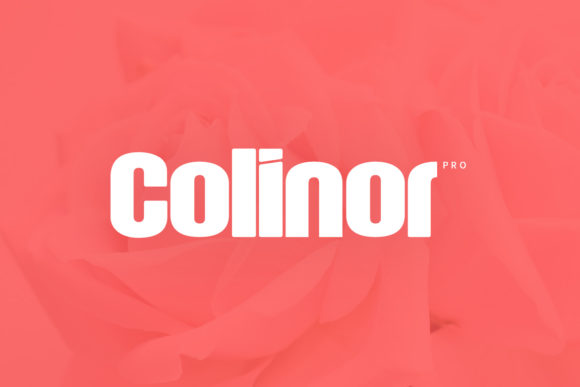
In the landscape of digital and print design, typography is rarely just an afterthought. It is a foundational element that dictates hierarchy, tone, and readability before a single image is placed or a paragraph of body copy is written. For professionals seeking to inject personality without sacrificing legibility, Colinor has emerged as a compelling option. This cool, modern, and thick-lettered display font offers a distinct visual weight that commands attention. However, selecting a typeface is only the first step in the creative process. The true value lies in how it integrates into broader workflows for web design, branding materials, and editorial layouts.
Understanding where Colinor fits requires looking beyond its aesthetic appeal. It is a tool for communication, designed to create impact through boldness. Its thick letterforms provide stability and presence, making it ideal for headlines, titles, and key messaging points. Yet, because it is a display font, it must be handled with precision to avoid overwhelming the viewer. This article explores the practical application of Colinor, examining how designers, marketers, and business owners can leverage its characteristics within their daily operations.
Defining the Role of Display Typography
Before diving into specific use cases, it is essential to understand the functional role of a heavy display font like Colinor. In any design system, typefaces are assigned roles based on their versatility and visual weight. Body text requires high legibility at small sizes, often relying on neutral sans-serifs or serifs. Display fonts, conversely, are meant to be seen from a distance or at large scales. They serve as hooks—grabbing the eye and setting the emotional context for the content that follows.
Colinor’s modern aesthetic strips away unnecessary ornamentation, focusing instead on clean lines and substantial mass. This makes it particularly effective in minimalist design environments where whitespace is abundant. When used correctly, it does not compete with imagery; rather, it anchors it. For entrepreneurs and small business owners, this distinction is crucial. A brand identity needs to be memorable but also professional. Colinor provides that balance by offering a unique touch that feels contemporary rather than trendy, ensuring longevity in your visual assets.
Strategic Implementation in Web Design
Web design presents a unique set of challenges regarding typography. Screen resolutions, load times, and responsive behavior all influence how a font performs. Integrating Colinor into a website requires careful planning to ensure it enhances user experience rather than hindering it. Because Colinor is a display font, it should generally be reserved for hero sections, navigation headers, and call-to-action buttons. Using it for long-form paragraphs will strain the reader’s eyes and increase bounce rates.
Preparation and Asset Management
The first phase of implementation involves preparing the font files. Ensure you have the correct web-ready formats (WOFF2) to optimize loading speeds. Since Colinor has thick strokes, slight variations in rendering across different browsers can occur. Test the font in Chrome, Safari, Firefox, and Edge during the development phase. Pay close attention to kerning pairs, especially when the font is scaled down for mobile views. If the letters feel too cramped on smaller screens, consider adjusting the letter-spacing or switching to a lighter weight if available.
Pairing Strategies
A common mistake in web design is pairing a bold display font with another busy typeface. To maintain clarity, pair Colinor with a simple, highly readable sans-serif or serif for body text. The contrast between the heavy, character-rich headings and the light, neutral body copy creates a visual rhythm that guides the user through the page. This pairing strategy supports accessibility standards by ensuring sufficient contrast and readability, which is vital for SEO and user retention.
Applications in Physical Branding Materials
While digital presence is paramount, physical touchpoints remain powerful tools for establishing credibility. Business cards, brochures, and signage benefit significantly from the bold presence of Colinor. In these mediums, the thickness of the letters translates directly to perceived quality and confidence. A business card printed with Colinor for the name or title stands out in a stack, creating a tactile and visual impression that aligns with a premium brand image.
- Business Cards: Use Colinor for the primary name or company logo. Keep the contact details in a smaller, simpler font to maintain hierarchy. Consider embossing or foil stamping to enhance the texture of the thick letters.
- Posters and Flyers: The modularity of Colinor allows for creative layout possibilities. You can stretch the letters vertically or horizontally to fit specific dimensions, though care must be taken to preserve the aspect ratio for a polished look.
- Packaging: For product labels, Colinor’s modern aesthetic works well for tech, beauty, or lifestyle products. Its clean lines convey innovation and reliability.
When designing for print, always work in CMYK color mode and include bleed areas. The thick black fills of Colinor can sometimes cause issues with overprinting if not managed correctly. Consult with your printer about ink density, especially if using spot colors. This attention to detail ensures that the final output matches the digital proof, maintaining consistency across all brand touchpoints.
Workflow Integration for Creators and Freelancers
For freelancers and agency teams, efficiency is key. Incorporating a specialized font like Colinor into your workflow requires more than just installing it. It involves creating templates and style guides that standardize its usage. This reduces decision fatigue and ensures that every deliverable meets brand standards.
Creating a Style Guide
Develop a mini-style guide for Colinor that specifies:
- Minimum and maximum font sizes.
- Recommended line heights and letter spacing.
- Allowed color combinations (e.g., white on dark backgrounds vs. black on white).
- Pairing fonts for body text.
This documentation serves as a reference for future projects, whether you are working alone or collaborating with other designers. It ensures that the "unique touch" Colinor provides remains consistent, preventing the brand from appearing disjointed.
Tool Compatibility
Colinor should integrate seamlessly with major design platforms such as Adobe Creative Cloud, Figma, Sketch, and Canva. Before starting a project, verify that the font is available in your preferred software. If you are using cloud-based tools, ensure the font is uploaded to the team library so that all collaborators have access. This prevents version control issues and keeps the design process smooth.
Considerations for Long-Term Use
Trends in typography shift rapidly, but good design endures. Colinor’s modern, thick-lettered style is rooted in contemporary minimalism, a trend that has proven resilient. However, to keep your designs fresh, consider how Colinor interacts with evolving visual trends. For instance, as 3D elements and glassmorphism become more prevalent in web design, Colinor’s flat, bold nature can provide a grounding counterpoint, adding structure to otherwise chaotic visuals.
Maintaining Quality Control
Regularly audit your existing assets. Are there older marketing materials where Colinor was used incorrectly? Updating these assets can refresh your brand’s appearance without a complete overhaul. Look for opportunities to replace generic headers with Colinor to instantly elevate the perceived value of your content. This iterative approach to design management allows for continuous improvement without requiring massive resource investment.
Conclusion
Colinor is more than just a font; it is a strategic asset for anyone looking to communicate with clarity and impact. By understanding its strengths as a thick, modern display typeface, professionals can integrate it effectively into both digital and print workflows. Whether you are designing a website, crafting a business card, or developing a brand identity, Colinor offers the unique touch needed to stand out. The key to success lies in thoughtful preparation, strategic pairing, and consistent application. When used with intention, it becomes an indispensable part of your creative toolkit, helping you achieve better outcomes in every project.